


CMS Features
eCommerce Features Tab
- User Registration
- Page Management
- WYSIWYG Rich Text Editor
- SEO Automation
- Email Newsletter
- Site Search
- Image Slideshow
- Image Album & Gallery
- CAPTCHA
- Web Forms
- Google Analytics Integration
- FAQ
- Page Versions/Revisions
- Multilingual Support
- Content Recommender Agent
- Google Maps Integration
- Printer-Friendly Version
- PDF Page Version
- Content Access
- Tabs
- Support Ticketing
- Survey Management System
- Cufón
- Calendar/Events
- Notifications/Subscriptions
- Signups
- Book
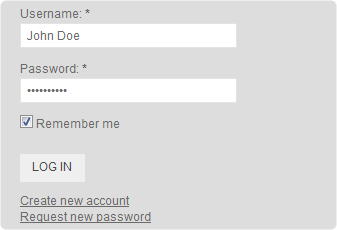
- Visitors can register on the site with a unique user name.
- Works with CAPTCHA to minimize spam accounts.
- Users can opt to be "remembered" on the site so that they do not need to sign in each and every time.
- Registered users can be given more privileges than anonymous users, such as creating blogs, posting forum topics, etc.
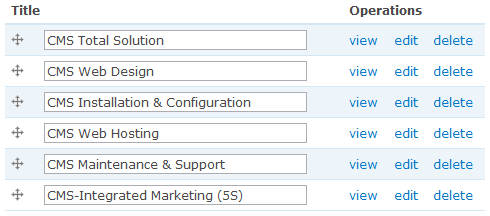
- Add, Edit or Delete pages.
- Organize pages in a hierarchy.
- Publish/unpublish pages.
- Promote/unpromote pages on the front page.
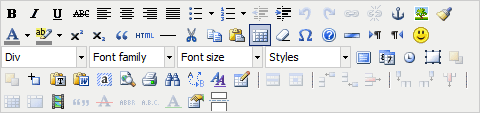
- Format pages without requiring knowledge of HTML.
- Rich in functionality.
- Familiar Microsoft Word-like icons.

- Automatically generates a sitemap.org compliant XML site map.
- Automatically submits XML site map to major search engines such as Google, Bing or Yahoo.
- XML site map is regenerated when your site structure or content changes.
- Periodically submits updated XML site map to the major search engines.
- Your organic search engine listing improves over time if visitors find your content relevant to their searches.
- The system handles all these under the hood - there is no work on your part.
- Manage multiple newsletters or type of news (e.g. promotions, tips, etc).
- Keep track of newsletter issues within each newsletter (e.g. October promotions, November promotions, etc).
- Users can opt in/out of subscription during registration.
- Anonymous users can subscribe to newsletters on the home page.
- Compose and send HTML emails.
- Track how many subscribers visit your site as a result of clicking on your email newsletter.
- Internal engine that searches within the site.
- Re-indexes the site periodically to keep search results updated.
- Display an image slideshow prominently on the home page.
- Upload your own image slides.
- Automatically resizes and crops images to fit slider dimensions.
- View a live example here.


- Manage image galleries in albums.
- User-friendly gallery navigation.
- Automatically resizes and crop image thumbnails.
- Original image displays elegantly upon clicking on thumbnail.
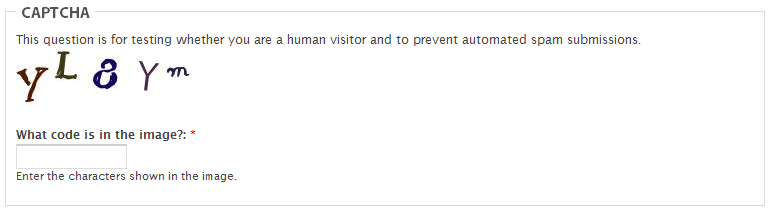
- Works with the user registration feature to minimize spam accounts.
- Works with web forms to minimize spam entries.
- View responses in table format.
- Summarizes response statistics (blank fields, length of fields, etc).
- Export to various formats such as .csv or Excel.
Notes:
- Requires configuration (per form, etc).
Use Google Analytics to track visitor, traffic sources and content statistics. The following are examples of information available in Google Analytics.
Visitor
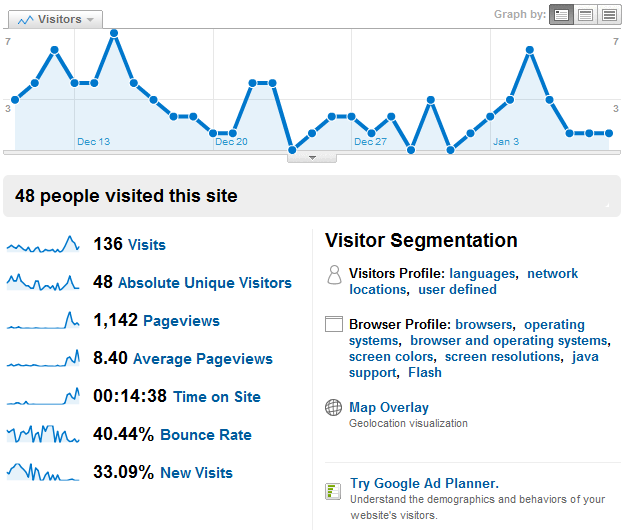
- Visits
- Absolute unique visitors
- Pageviews
- Time on site
- Bounce rate
- New visits
- Languages
- Type of browser
- Type of operating system
- Geographic location
- Visitor loyalty
- Mobile
Traffic Sources
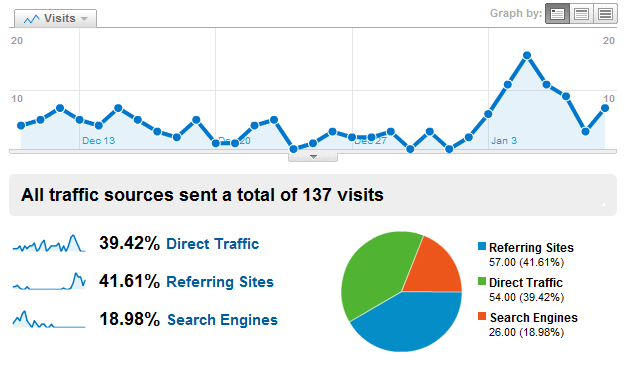
- Direct traffic
- Referring sites
- Search engines
Content
- Top content
- Top landing pages
- Click pattern
And many more...
- Add, edit or delete question/answer pairs.
- Question/answer pairs are automatically turned into FAQ format.
- Create page revisions accompanied with log message.
- Keep a list of page revisions.
- Revert to prior page versions anytime.

- Manage multiple languages for your site's content.
- Visitors can select the language in which to view the site.
- CMS interface elements are automatically translated to the target language when made available by the open-source community.
- Content and interface elements not covered by the open-source community can be translated manually.
- Over 100 languages supported.
- Recommend content to individual users based on similar browsing patterns of other users on the site.
- Content recommendation differs from user to user.
"Related content"
- Recommend content to users based on page browsing patterns.
- Content recommendation differs from page to page.
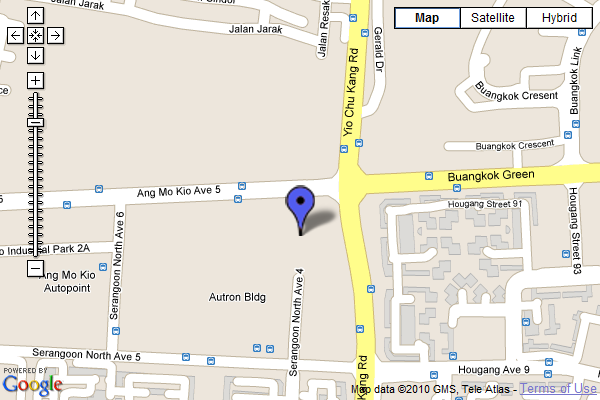
- Displays a Google Map with your business location indicated with a marker.
- Visitors can pan and zoom the map or view it in satellite mode.
- See a live example here.
- Opens a printer-friendly version of the page in a new window/tab.
- Click on "Printer-Friendly Version" at the bottom of this page to see an example.
- Generates a PDF version of the page on the fly.
- Click on "PDF Version" at the bottom of the page for an example.
- Webmaster can grant or restrict access to content on a page by page basis.
- Content authors can grant or restrict other people access to own content.
Present pages in the form of tabs, like this page for example.
Notes:
- Requires configuration (per tab, per item, etc).
Ticket management
- Users can submit tickets online via the ticketing system.
- Users can submit tickets via email.
- Users who create tickets are subscribed to email notifications.
- Users can unsubscribe from email notifications.
Client-level visibility
- Each client organization can have multiple users.
- Users in the same client organization can see one another's tickets.
Dispatcher
- Can grant users "client" permissions
- Can grant users "support staff" permissions
- Can assign tickets to support staff
- Can change ticket priority
Support staff
- Change ticket state
- Unlimited number of surveys at the same time
- Unlimited number of questions in a survey (only limited by your database)
- Unlimited number of participants to a survey
- Multi-Lingual Surveys
- User-Management
- 20 different question types with more to come
- WYSIWYG HTML Editor
- Quotas Management
- Integration of pictures and movies into a survey
- Creation of a printable survey version
- Conditions for questions depending on earlier answers (Skip Logic / Branching)
- Re-usable editable answer sets
- Ready-made importable questions
- Assessment surveys
- Anonymous and Not-Anonymous survey
- Open and closed group of participant surveys
- Optional public registration for surveys
- Sending of invitations, reminders and tokens by email
- Option for participants to buffer answers to continue survey at a later time
- Cookie or session based surveys
- Template editor for creating your own page layout
- Extended and user-friendly administration interface
- Back-office data entry possibility
- Survey expiry dates for automation
- Enhanced import and export functions to text, CSV, PDF, SPSS, R, queXML and MS Excel format
- Basic statistical and graphical analysis with export facility
- Screen Reader Accessiblity
- W3C compliance
- Supporting more than 50 different languages in frontend and backend
- This is a standalone system, not part of CMS.
Whether a font displays on a web page for a particular visitor depends on factors outside your control. Some of these factors are as follows:
- Browser version
- Operating system
- Whether the user installed the font in his/her computer.
As a result, most webmasters stick to common fonts such as Arial, Helvetica or Times New Roman to ensure that all visitors see the same fonts. Some webmasters convert more exotic fonts to images before placing them on the page - but this means more work on their part.
CufÓn provides a convenient solution by generating fonts using JavaScript. As most, if not all contemporary browsers support JavaScript, you can be sure that the majority of your visitors see the font you want them to see.
Notes:
- Requires configuration (per font, etc).
- Not inclusive of price of font.
- Some fonts may not be supported.
- Some characters may not be supported within a font.
Create events and have them display on a calendar.
Users can subscribe and be notified of new or updated content.
Users can sign up for events.
- Organize pages into a book.
- For each book, pages are listed in a table of contents.
- User can jump to any page from the table of contents or 'flip' through the book.
- Social Media Widget
- Facebook Integration
- Feed Aggregator
- Feed Syndicator
- Rating System
- Polls
- Forum
- Blog
- Apture Integration
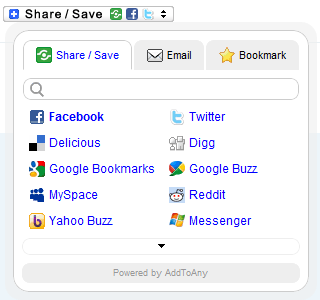
- Visitors can easily share your site's content on popular social media sites such as Facebook, Twitter or Digg.
- More than 100 social media sites are available on the widget.
- Visitors can easily email your site's content to a friend.
- The widget reminds visitors to bookmark the page.
Exploit the fast and ever-growing social network with the following widgets.
Facebook Connect

- Facebook Connect allows users to register or sign on to your site with Facebook Credentials.
- Using Facebook Credentials eliminates the need for users to remember the password for your site.
- Users signing in with Facebook Connect do not need to sign into Facebook again to use other Facebook widgets.
Facebook Like Box

- Your business's Facebook Page can be integrated onto your site in the form of a Like Box.
- Visitors who "like" your Facebook page will be reflected in the Like Box and vice versa.
- If need be, as part of our CMS Total Solution, we will guide you in setting up your Personal Facebook account and Facebook Page.
Facebook Like Widget

- The Facebook Like Widget will appear in most of the site's content.
- Visitors who "like" your site's content will automatically be reflected in the user's wall on Facebook.
Facebook Comments

- Facebook Comments can be enabled for most of your site's content.
- Visitors who comment on your site's content will automatically be reflected in the user's wall on Facebook.
- You can subscribe to multiple related sites and aggregate their content on your own site.
- Feed aggregation leverages readily available content, generating large amounts of content with minimal effort.
- Links in aggregated content open in new windows, minimizing the chances of users leaving your site.

- Feed Syndicator allows visitors to subscribe to your site via an aggregator program.
- Syndication creates the potential for your site to gain more exposure.
- Subscribers will constantly be reminded of your site's existence.
The following are the rating systems available.
Voting System

Users vote content up or down.
Five Star System

Users rate content on a scale of one to five stars.
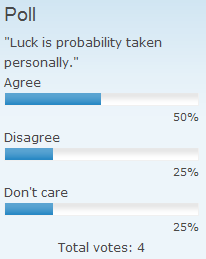
Create interesting polls with the polling system.
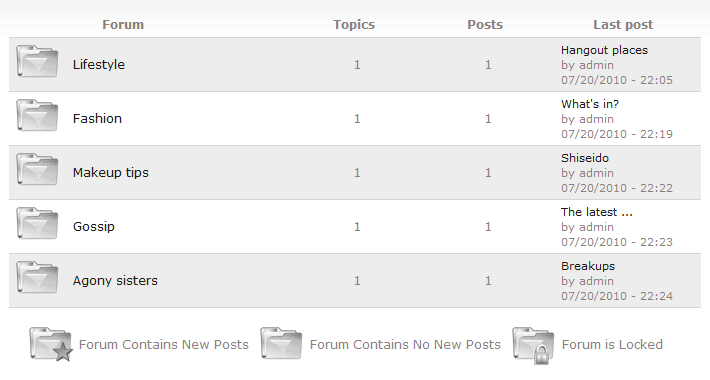
Forum features:
- Add/edit/delete forums.
- Post/edit/delete threads.
- Mark all forums as read.
- Folder icons that show new posts.
- Forum statistics such as active members, latest member, member count, topic count, post count.
- Sticky topics.
- User avatar.
And many more...
- Ability to post photos.
- Ability to embed video media, such as YouTube.
- Any registered user may create a blog on your site.
- Posts within individual blogs are organized according to monthly posts.
Apture helps you enhance your site with content you choose from 50+ different sources. With Apture, you can keep readers on your site and create more content in less time. When readers access the linked content, Apture opens miniature AJAX windows instead of making readers leave the page.
Add contextual Wikipedia, YouTube, Twitter, Maps, Pictures, Music, Books and more. You can also Upload and Link your own contextual content such as images, PowerPoints, PDFs, and Excel Spreadsheets without making people leave your site to view.
- Product Catalog
- Product Attribute
- Product Bundling
- Shopping Cart
- Stock Management
- Sales Taxes
- Promotions Coupon
- Product Recommender Agent
- Post-Purchase File/Coupon
- Payment - Bank Transfer
- Payment - Basic
- Payment - PayPal
- Shipping - Basic
- Shipping - FedEx
- Shipping - UPS
A must have for all online stores. This feature allow your potential customers to browse through the range of products that you have up for offer. An online product catalogue allows your customers access to the latest pricings and offers. It is easily editable through the use of the Content Management System offer by QARVE.
Notes
- Includes Product Attributes
Allows the same product to have different variations (e.g. color, size, etc)
Notes:
- Comes with Product Catalog
The Product Bundling module is essential for business owners who wants to, simply, bundled products together as a single product.
For example, an online apparel shop have shirts, pants, blouse and other items on offer. The business owner could use this module and bundle his/her shirts together wih pants as a single package up for sale. Bundled products tends to be more competitive in pricing and hence appeal to specific of customers who are looking for a bargain.
Notes:
- Requires Product Catalog
-
The online shopping cart is a necessity if you wish to allow your customers to make purchases online. The ease of making payment online would translate into higher revenues and income when it is coupled with the correct online and offline marketing strategy.
Notes:
- Requires Product Catalog.
- Includes Payment - Basic and Shipping - Basic.
Any trading company will understand the hassle of managing your inventory, especially when the sales on the internet space can be fast and rapid. Our Content Management System has a module that allows business owners to management their inventory and monitor their stock. This is essential for businesses who wishes to keep a close tab on their stock.
Notes:
- Requires Product Catalog and Shopping Cart.
Tax rates are not a constant. Imagine you have to pay consultants or software developers few hundred dollars to change the tax rates in the system. With this module, you are able to change the tax rates to be aligned with the current rate.
Notes:
- Requires Product Catalog and Shopping Cart.
The Promotions Coupon module allows the business owners to incorporate coupons into their shopping cart. Allowing potential customers to obtain discounts or rebates through the system.
Notes:
- Requires Product Catalog and Shopping Cart.
When potential customers are interested in the reviews of your products, your website is the last place that the potential customer will look at. People will mostly trust their peers. Hence the product recommender agent allows existing customer to recommend products to their peers. A good product, a good review and a recommendation is essential to the rapid growth of sales.
Notes:
- Requires Product Catalog.
Releases files/coupons to customers after they have purchased a product.
Although credit card is common at this age, there exists a group of potential customers who are eager to purchase online but they do not have a credit card. By allowing bank transfer, you will be able to capture the above mentioned group of potential customers as regulars.
Notes:
- Requires Product Catalog and Shopping Cart.
A basic payment gateway allows the customer to conduct sales with minimum overheads. This module is bundled together with the shopping cart.
Notes:
- Requires Product Catalog.
- Comes with Shopping Cart.
Paypal is one of the leading service provider for payment gateways, it allow the payment for goods online without exposing your credit information to other parties. Hence there are a substantial amount of potential customers who use paypal as their preferred form of payment. By excluding this module, there is a possibility of alienating this group of customer.
Notes:
- Requires Product Catalog and Shopping Cart.
This module is bundled together with the shopping cart module, it allows the customer to choose the shipping information. The arrangement for shipment will be handled by the business owners themselves.
Notes:
- Requires Product Catalog.
- Comes with Shopping Cart.
Not every business owners have a fleet of delivery vehicles at their bid and call. Third Party shipping logistics company like FEDEX provides online services that allow you to concentrate on the main aspects of your business.
Notes:
- Requires Product Catalog and Shopping Cart.
Not every business owners have a fleet of delivery vehicles at their bid and call. Third Party shipping logistics company like UPS provides online services that allow you to concentrate on the main aspects of your business.
Notes:
- Requires Product Catalog and Shopping Cart